Sales Pipeline Dashboard: What to Put On It

Short answer
Short answer: A sales pipeline dashboard is the single view that shows the health and trajectory of your pipeline, coverage, stage conversion, velocity, and what is closing, so leadership can inspect the forecast instead of debating it. The useful ones predict the number; the common ones just decorate it with volume.
Here is the position. Most pipeline dashboards answer how much is in the pipeline and never answer whether it will close, which is the only question the dashboard exists to settle.
What is a sales pipeline dashboard?
A sales pipeline dashboard is a consolidated, usually live view of the pipeline built from CRM data. It brings the numbers that describe the pipeline into one place: open pipeline by stage, coverage against quota, conversion rates, deal velocity, and recent movement. Instead of each leader pulling a private spreadsheet, the dashboard gives everyone the same picture from the same source.
The purpose is inspection, not decoration. A good dashboard lets a CRO look at it and know where the quarter stands and what threatens it. A weak one shows a wall of green totals that feel reassuring and say nothing about risk. The difference is whether the panels answer conversion questions or only volume questions.
The reason the dashboard matters is that it is where the forecast gets trusted or doubted. If the dashboard shows the conversion math behind the number, leadership believes the forecast. If it shows only how much pipeline exists, the forecast stays a matter of opinion no chart can settle.
Why a sales pipeline dashboard matters in 2026
Forecasts are under more scrutiny and data trust is lower, so the dashboard carries more weight than it used to. When the number slips, the first thing everyone stares at is the pipeline dashboard, and if it shows only totals, it cannot explain the miss. The pressure in 2026 is for a dashboard that exposes conversion and risk, not just volume.
Here is the deeper problem most dashboards share. They blend every source into one pipeline view, so outbound, inbound, and partner-sourced deals that convert at widely different rates appear as one uniform total. The headline looks healthy while the mix quietly shifts toward a weaker channel. The dashboard reassures right up until the quarter it cannot.
The teams that get it right build the dashboard around conversion by source. They can see which channel is carrying the forecast and which is thinning, in time to act. In my work with revenue teams, the panel that is almost always missing is partner-sourced pipeline as its own line, because partner deals are credited to the last-touch rep and vanish into the direct total, hiding the warmest channel on the board.
How a sales pipeline dashboard actually works
A dashboard that predicts the forecast works as a five-panel system, each panel answering a sharper question than raw pipeline value.
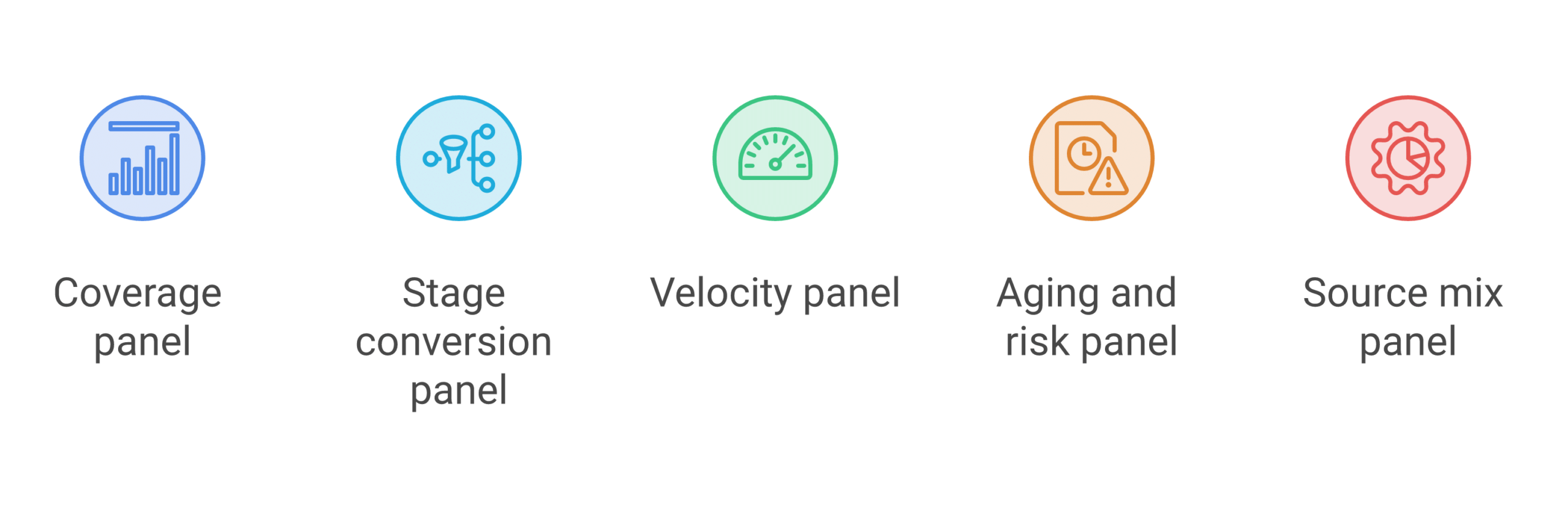
- Coverage panel: show open pipeline against the quota it must cover, because coverage is the first read, but only meaningful next to a known conversion rate. It sets the frame, not the answer.
- Stage conversion panel: display the rate deals move from each stage to the next, so leadership sees where pipeline leaks instead of only that it did. This panel turns a total into a diagnosis.
- Velocity panel: combine deal count, win rate, deal size, and cycle length into a speed-of-revenue figure, because a pipeline that converts slowly still misses the quarter. Time belongs on the board.
- Aging and risk panel: surface stuck and aging deals so dead pipeline stops inflating coverage, because the deals nobody is working are the ones that quietly sink the forecast. Risk has to be visible to be managed.
- Source mix panel: split open and closed pipeline by the channel that created it, so the dashboard shows which source carries the forecast. This is the panel that keeps partner-sourced deals from disappearing.
The through-line is that the dashboard should read from volume up to prediction. Coverage frames it, conversion diagnoses it, velocity times it, risk surfaces the danger, and source mix shows where the number actually comes from.
Common pitfalls
- All volume, no conversion: filling the dashboard with pipeline totals and deal counts and leaving off the conversion panels that actually predict the number.
- Blended source view: showing one pipeline total across all channels, so a weak source hides behind a strong one and the mix rots unseen.
- No aging panel: counting stuck deals at full value, which inflates coverage with pipeline that died months ago.
- Vanity green: designing for reassurance instead of inspection, so the dashboard never shows the risk a CRO needs to see.
- Missing the partner line: crediting partner-sourced deals to the last-touch rep, so the warmest channel never appears as its own panel.
What this looks like in practice
A worked example shows the gap. A team runs a dashboard full of pipeline totals and coverage, all green, and walks into the quarterly review confident. A board member asks which channel is carrying the forecast, and the dashboard cannot answer, because every source is blended into one total. The team rebuilds the dashboard around conversion by source. Now the source-mix panel shows outbound carrying most of the volume at a low conversion rate and slowing, while a small partner-sourced slice converts at ten times the rate and is aging because nobody owns the follow-up. The dashboard that only showed totals hid the risk; the rebuilt one surfaced it in time to assign an owner and pull the quarter back.
That is the job of a pipeline dashboard. Not to reassure, but to show the CRO where the number is actually coming from and what threatens it.
Forecastable’s POV
A pipeline dashboard earns its place only if it predicts the forecast, and most predict nothing because they measure volume instead of conversion. The panels that matter are stage conversion, velocity, aging, and source mix. Coverage and total pipeline are context, not the point.
The panel I see missing most often is partner-sourced pipeline as its own line. It is usually the warmest, highest-converting pipeline on the board, and it disappears because the introduction gets credited to whichever rep logged the next activity. At Forecastable we are a partnerships operating platform that connects partner conversations and actions to CRM pipeline and revenue, so partner-sourced deals show up as their own measurable panel in the same dashboard as every other source. Our Co-Sell Alignment Specialist is delivered as part of the service and uses the platform to keep that attribution clean from introduction to closed revenue.
My bet: the teams that build the dashboard around conversion by source, with a partner-sourced panel of its own, are the ones whose forecast reviews stop ending in surprise.
Forecastable is an independent third-party. Any tools, vendors, or third-party figures referenced here are described from public information for the reader’s own evaluation, not as paid placements.
Frequently asked questions
What should a sales pipeline dashboard show? Coverage against quota, stage-to-stage conversion, sales velocity, deal aging and risk, and pipeline split by source. The conversion and source panels are what predict the forecast; pipeline totals alone only describe volume.
What metrics belong on a pipeline dashboard? Pipeline coverage, stage conversion rates, sales velocity, average deal age by stage, win rate by source, and closed versus committed pipeline. Choose metrics that answer whether the pipeline will close, not just how big it is.
Why is my pipeline dashboard not predicting the forecast? Usually because it shows volume, not conversion, and blends every source into one total. Adding stage conversion, velocity, and a source-mix panel turns a descriptive dashboard into a predictive one.
How often should a pipeline dashboard update? Live or daily from the CRM, so leadership reads one current picture rather than a rebuilt spreadsheet. A stale dashboard invites parallel private versions, which is exactly what a single dashboard is supposed to end.
Why split the dashboard by source? Because outbound, inbound, and partner-sourced deals convert at widely different rates. A blended total hides which channel carries the forecast and which is thinning, so a source panel is how the dashboard shows real risk.
Where do partner-sourced deals show up on the dashboard? Too often nowhere, because they are credited to the last-touch rep and absorbed into the direct total. Giving partner-sourced pipeline its own panel surfaces the warmest, highest-converting channel instead of hiding it.
Next step
If your pipeline dashboard is all totals and all green, rebuild it around conversion. Add stage conversion, velocity, aging, and a source-mix panel, and watch where the forecast risk actually sits.
If the panel you are missing is partner-sourced pipeline, that is what we instrument. Start your growth journey with Forecastable and we will put partner-sourced deals on the same dashboard as the rest of your pipeline. Our sales pipeline management guide covers the operating model, and the partner-sourced pipeline guide shows why the partner channel deserves its own line.
Uncover Your Growth Potential
Schedule a Discovery Call